

Staring at screens for hours is now part of daily australian life, with research showing that over 60 percent of remote workers and gamers experience eye strain. Blurred vision, headaches, and tired eyes can creep in fast, making even simple tasks harder. This guide reveals how stylish, targeted eyewear solutions can transform your comfort and productivity during those marathon gaming sessions or workdays.
Table of Contents
- Understanding Computer Eye Strain Symptoms
- Types of Glasses for Screen Relief
- Key Lens Features and Blue Light Filters
- Comparing Computer Glasses and Alternatives
- Choosing the Right Glasses for Your Needs
- Common Mistakes with Digital Eyewear
Key Takeaways
| Point | Details |
|---|---|
| Understanding Symptoms | Computer eye strain can cause blurred vision, headaches, and discomfort, often affecting remote workers and gamers. Regular breaks and the 20-20-20 rule can help manage these symptoms. |
| Selecting the Right Glasses | Personalised computer glasses can alleviate eye strain, focusing on lens technology and frame comfort tailored to individual screen usage. Accurate prescriptions and ergonomic design are crucial. |
| Holistic Approach to Eye Health | Managing digital eye strain requires a combination of computer glasses, workspace ergonomics, and regular vision assessments. Focusing solely on eyewear may not address underlying issues. |
| Common Pitfalls | Overreliance on blue light blocking glasses and neglecting regular vision checks can worsen eye strain. A multifaceted strategy is essential for effective eye health management. |
Understanding Computer Eye Strain Symptoms
Computer eye strain, or Computer Vision Syndrome, impacts countless remote workers and gamers across Australia who spend long hours staring at digital screens. This condition emerges from prolonged digital screen exposure, causing significant discomfort and potential long-term visual challenges.
The primary symptoms of computer eye strain include:
- Blurred or fuzzy vision
- Persistent headaches
- Dry, irritated, or watering eyes
- Muscle aches around the eye region
- Neck and shoulder tension
- Difficulty focusing on screen content
These symptoms arise from complex physiological responses during extended screen time. When you focus on digital displays, your eye muscles work overtime. The constant need to adjust focus on pixelated screens, combined with reduced blinking rates, creates substantial muscular and neurological stress. Unlike reading printed text, digital screens emit blue light and require continuous microscopic eye movements, increasing strain.
Research from the Australian Academy of Ophthalmology indicates that most digital device users experience at least one eye strain symptom. Factors like screen brightness, viewing distance, ambient lighting, and individual eye health significantly influence symptom severity. Reading Glasses for Computer Work can provide targeted solutions for managing these challenges.
Pro tip: Implement the 20-20-20 rule: Every 20 minutes, look at something 20 feet away for 20 seconds to reduce eye muscle fatigue and promote natural blinking.
Types of Glasses for Screen Relief
Computer glasses have revolutionised eye comfort for remote workers and gamers across Australia, offering targeted solutions to combat digital screen strain. Unlike standard eyewear, these specialised glasses are engineered to address the unique visual challenges presented by prolonged digital device usage.
The primary types of glasses designed for screen relief include:
- Single Vision Computer Glasses: Optimised for intermediate screen distances
- Multifocal Computer Glasses: Providing seamless focus across near, intermediate, and far ranges
- Blue Light Blocking Glasses: Reducing potential eye strain from digital screen emissions
- Prescription Computer Glasses: Customised to individual vision correction needs
Multifocal lenses represent a sophisticated solution for screen users. Glasses for Reading and Computer Work can help users quickly transition between different focal lengths, particularly beneficial for professionals who constantly shift between screens, documents, and distant objects. These lenses typically feature progressive designs that allow natural eye movement without distinct visual boundaries.

Specialised computer glasses often incorporate advanced lens technologies like anti-reflective coatings and precise intermediate-distance focusing. The National Eye Institute recommends glasses that specifically address the 20-26 inch range typical of computer screen viewing, ensuring optimal visual comfort and reducing potential eye muscle fatigue.
Here’s how different types of computer glasses address common digital eye strain challenges:
| Glasses Type | Best Use Case | Lens Technology | User Benefit |
|---|---|---|---|
| Single Vision Computer Glasses | Intermediate screen viewing | Basic anti-glare coating | Comfortable for desktop work |
| Multifocal Computer Glasses | Multi-tasking environments | Progressive lens design | Seamless focus transitions |
| Blue Light Blocking Glasses | Prolonged screen exposure | Blue light filter coating | May reduce circadian disruption |
| Prescription Computer Glasses | Correcting vision issues | Custom prescription lenses | Precise correction for each user |
Pro tip: When selecting computer glasses, prioritise frames that provide sufficient lens width to accommodate your full screen viewing range and ensure comfortable, unrestricted eye movement.
Key Lens Features and Blue Light Filters
Lens technology has dramatically evolved to address the unique visual challenges faced by digital device users across Australia. Modern computer glasses incorporate sophisticated features designed to enhance visual comfort and reduce eye strain during prolonged screen time.
The critical lens features for digital eye protection include:
- Anti-reflective Coatings: Minimise glare and reduce eye fatigue
- Intermediate Distance Focusing: Optimise vision for screen viewing ranges
- Blue Light Filtering: Potentially manage circadian rhythm disruptions
- Hydrophobic Lens Treatments: Repel dust and reduce cleaning frequency
While much debate surrounds blue light filtering, scientific research suggests nuanced perspectives. Reading Glasses Lens Coatings demonstrate that advanced lens treatments offer more than simple light filtering. Current research from the Australian Academy of Ophthalmology indicates that anti-reflective coatings and glare reduction provide more substantial eye strain relief than blue light blocking technologies.
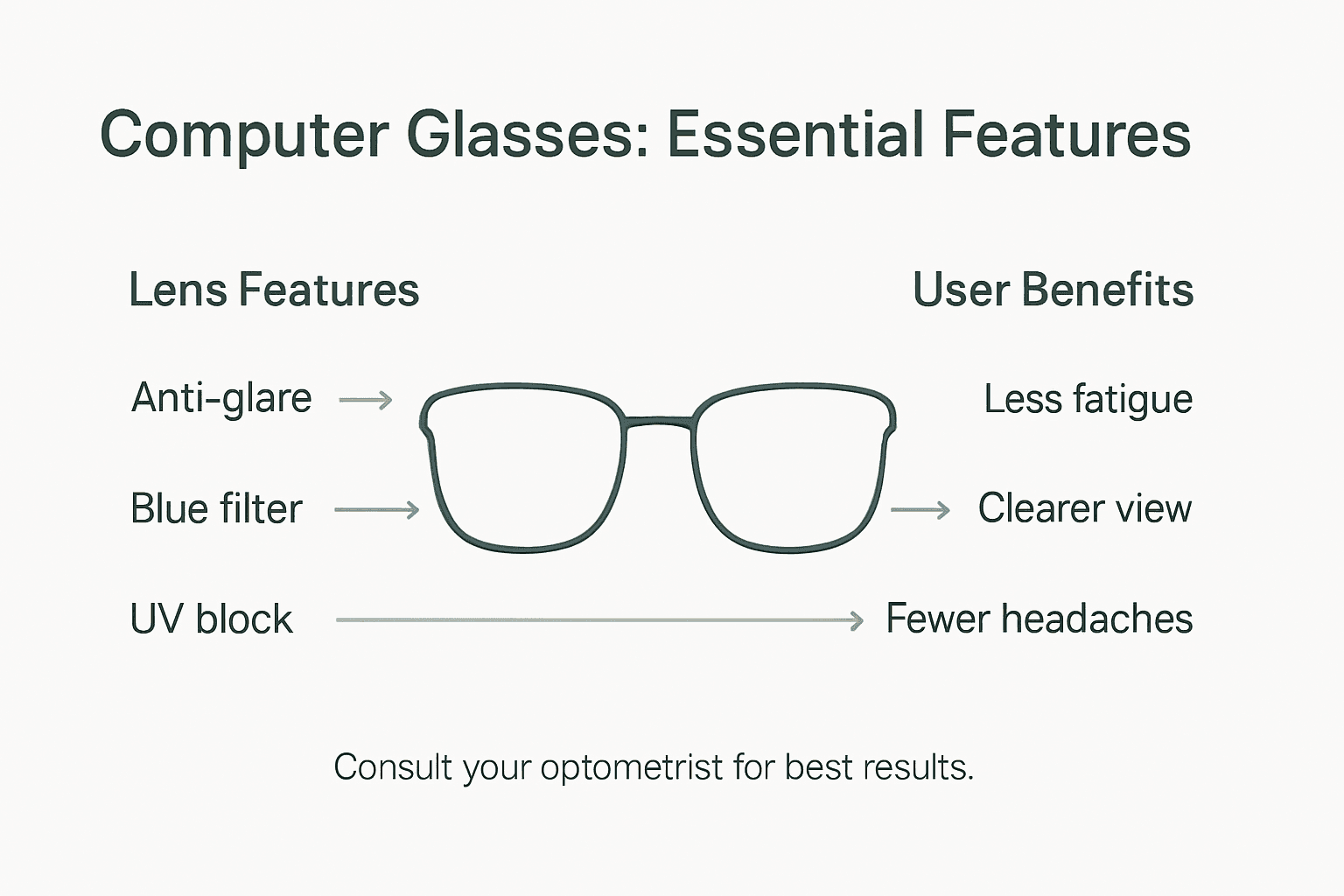
Modern lens technologies focus on comprehensive visual comfort. Anti-reflective coatings reduce scattered light, improving contrast and reducing eye muscle strain. Specialised lens designs now incorporate precise intermediate distance focusing, specifically calibrated for the typical 20-26 inch computer screen viewing range. These innovations go beyond simple light filtering, addressing the complex physiological challenges of digital screen interactions.
The following table summarises key lens features and their impact on digital device users:
| Lens Feature | Function | Impact for Screen Users |
|---|---|---|
| Anti-reflective Coating | Reduces glare and reflections | Improves comfort, lowers fatigue |
| Intermediate Distance Focusing | Optimises clarity at screen range | Sharp vision for common distances |
| Blue Light Filtering | Filters specific light spectrum | Potential support for sleep health |
| Hydrophobic Treatment | Repels dust and moisture | Easier maintenance, clearer vision |
Pro tip: Consult an optometrist to personalise lens features based on your specific screen usage patterns and individual visual requirements.
Comparing Computer Glasses and Alternatives
Digital eye protection involves more than simply purchasing specialised eyewear. Remote workers and gamers across Australia face multiple strategies for managing screen-related visual strain, with computer glasses representing just one potential solution.
The key alternatives to computer glasses include:
- Ergonomic Workspace Adjustments: Optimising screen height and distance
- Screen Setting Modifications: Adjusting brightness, contrast, and blue light settings
- Regular Break Techniques: Implementing systematic screen rest intervals
- Vision Correction Prescriptions: Addressing underlying visual impairments
What Glasses Help With Eye Strain highlights that while computer glasses offer targeted relief, they are not a universal solution. Research from the Australian Academy of Ophthalmology suggests that behavioural modifications often provide more comprehensive eye strain management than specialised eyewear. Most eye care professionals recommend a holistic approach combining multiple strategies.
Computer glasses can be beneficial for individuals with specific visual challenges, but they are not a standalone cure. The most effective approach involves a combination of appropriate eyewear, ergonomic workspace design, regular vision breaks, and potentially prescription lens corrections. Factors like screen distance, ambient lighting, and individual visual health play crucial roles in determining the most suitable eye strain management strategy.
Pro tip: Conduct a comprehensive eye health assessment with an optometrist to develop a personalised digital screen protection strategy tailored to your specific visual needs.
Choosing the Right Glasses for Your Needs
Personalised eyewear is crucial for addressing individual digital screen challenges faced by Australian remote workers and gamers. Selecting the ideal glasses requires a strategic approach that considers multiple factors beyond simple prescription requirements.
Key considerations when choosing computer glasses include:
- Vision Prescription Accuracy: Precise intermediate distance correction
- Lens Coating Quality: Anti-reflective and glare-reduction properties
- Frame Comfort: Ergonomic design for extended wear
- Individual Screen Usage Patterns: Custom solutions for specific work environments
Understanding Lens Types for Reading Glasses demonstrates the complexity of selecting appropriate eyewear. Professional eye assessments are critical, as they help identify specific vision needs related to screen usage. Optometrists can recommend multifocal or specialised computer lenses that address unique visual challenges, ensuring optimal comfort and reduced eye strain.
Custom-fitted glasses offer significant advantages over generic solutions. The ideal pair considers factors like screen distance, workplace lighting, and individual visual characteristics. Some individuals might benefit from progressive lenses that allow seamless focus transitions, while others may require specific anti-reflective coatings tailored to their digital work environment.
Pro tip: Schedule a comprehensive eye examination specifically discussing your digital screen usage to receive targeted eyewear recommendations.
Common Mistakes with Digital Eyewear
Digital eyewear mistakes can significantly impact visual comfort and potentially exacerbate existing eye strain for remote workers and gamers across Australia. Understanding these common errors helps individuals make more informed choices about their eye health and digital screen interactions.
The most prevalent mistakes in digital eyewear selection include:
- Overreliance on Blue Light Blocking: Assuming these glasses are a comprehensive solution
- Incorrect Prescription Measurements: Using glasses not calibrated for screen distances
- Neglecting Ergonomic Workspace Setup: Focusing solely on eyewear without addressing environmental factors
- Ignoring Regular Vision Assessments: Failing to update prescriptions periodically
Complete Guide to Reading Glasses for Computer Use emphasises the importance of holistic eye health management. Many Australians mistakenly believe that purchasing specialised glasses automatically resolves eye strain issues. In reality, effective digital eye protection requires a multifaceted approach that combines appropriate eyewear, workspace optimisation, and personal health practices.
Scientific research consistently demonstrates that no single solution eliminates digital eye strain completely. Blue light blocking glasses, often marketed as a miracle cure, lack substantial scientific evidence supporting their effectiveness. The most successful approach involves comprehensive strategies that address vision correction, workspace ergonomics, screen positioning, and regular visual breaks.
Pro tip: Conduct a comprehensive eye health assessment every 12 months and discuss your specific digital screen usage with an eye care professional.
Find Relief from Computer Eye Strain with Stylish, Functional Glasses
If you experience blurred vision, headaches or tired eyes after long hours at your screen you are not alone. The article highlights how specialised computer glasses can reduce muscle strain and improve comfort during digital tasks. Discover our carefully curated collection of Rectangular Reading Glasses designed for intermediate screen distances that combine comfort and visual clarity.

Don’t let eye strain hold you back from your work or gaming sessions. Visit Ministry of Sight today to explore premium eyewear options including Geometric Reading Glasses and Clear Reading Glasses. Take control of your eye health with glasses featuring anti-reflective coatings and ergonomic frames tailored to your needs. Shop now and enjoy free shipping across Australia with confidence in your visual comfort.
Frequently Asked Questions
What types of glasses are most effective for computer eye strain?
The most effective types of glasses for computer eye strain include single vision computer glasses, multifocal computer glasses, blue light blocking glasses, and prescription computer glasses. Each type addresses different viewing needs and challenges associated with prolonged screen time.
How do blue light blocking glasses help with eye strain?
Blue light blocking glasses are designed to filter out high-energy blue light emitted by digital screens, which may reduce eye strain and discomfort during prolonged screen exposure. However, they should be used in conjunction with other strategies for optimal relief.
What features should I look for in computer glasses?
When selecting computer glasses, look for features such as anti-reflective coatings to reduce glare, intermediate distance focusing for optimal screen viewing, and specific lens designs that cater to your visual needs during extended screen use.
Can ergonomic workspace adjustments help reduce eye strain as much as glasses?
Yes, ergonomic workspace adjustments, such as optimising screen height and distance, can significantly reduce eye strain. A multifaceted approach, combining appropriate eyewear and ergonomic workspace design, is often the most effective strategy for managing digital eye strain.


