

Most australian professionals spend more than seven hours each day in front of screens, which significantly increases the risk of eye strain. Uncomfortable lighting and poorly adjusted screens can leave your eyes feeling tired and unfocused by mid-afternoon. Learning how to fine tune your workspace and personal habits can make a noticeable difference. With the right lighting, regular breaks, and suitable eyewear, you can protect your eyesight and keep your focus sharp throughout your workday.
Table of Contents
- Step 1: Set Up Optimal Lighting In Your Workspace
- Step 2: Adjust Your Screen And Monitor Settings
- Step 3: Take Regular Breaks Using The 20-20-20 Rule
- Step 4: Wear Suitable Eyewear For Digital Use
- Step 5: Check Your Eye Comfort And Make Adjustments
Quick Summary
| Key Point | Explanation |
|---|---|
| 1. Maximise Natural Light | Position your desk near a window and use light curtains to balance brightness and reduce glare. |
| 2. Adjust Screen Settings | Set monitor brightness and colour temperature to match your environment for optimal viewing comfort. |
| 3. Follow the 20-20-20 Rule | Every 20 minutes, look at something 20 feet away for 20 seconds to reduce eye strain. |
| 4. Use Appropriate Eyewear | Invest in computer glasses with anti-reflective coatings to minimise digital eye strain. |
| 5. Regularly Check Eye Comfort | Continuously assess your ergonomic setup and make adjustments to enhance visual comfort and prevent strain. |
Step 1: Set up optimal lighting in your workspace
Creating the perfect lighting environment for your workspace isn’t just about aesthetics it’s critical for protecting your eye health and maintaining productivity. Natural light plays a pivotal role in reducing eye strain and creating a comfortable working atmosphere, so positioning your workspace strategically becomes key.
Start by positioning your desk near a window to maximise natural light exposure. Aim to have windows on the side of your workspace rather than directly behind or in front of your computer screen to minimise glare and harsh reflections. If direct sunlight creates too much intensity, consider using light curtains or adjustable blinds to soften the incoming light. An adjustable desk lamp becomes your secret weapon for supplementing natural light and providing targeted illumination exactly where you need it most.
When selecting artificial lighting, choose options with adjustable brightness and colour temperature. Warm white lights around 2700 3000 Kelvin create a comfortable working environment, while cooler white lights around 4000 Kelvin can help maintain alertness during focused work periods. Consider LED desk lamps with dimming capabilities that allow you to fine tune your lighting based on time of day and specific task requirements.
Pro tip: Install a small mirror opposite your window to help bounce and distribute natural light more evenly across your workspace, creating a brighter and more balanced lighting environment without adding extra artificial light sources.
Here’s a comparison of natural versus artificial lighting features for workspace optimisation:
| Lighting Type | Key Benefits | Considerations |
|---|---|---|
| Natural Lighting | Reduces eye strain, boosts mood | Varies with weather, potential glare |
| Artificial Lighting | Adjustable, available any time | May increase eye fatigue if poorly chosen |
| Combination | Balanced illumination, flexibility | Requires careful setup for best results |
Step 2: Adjust your screen and monitor settings
Your digital display is more than just a window to work it’s a potential source of eye strain if not configured correctly. Understanding how to optimise your screen settings can dramatically reduce visual fatigue and improve your overall viewing comfort.
Start by adjusting your screen’s brightness and contrast to match your surrounding environment. During daylight hours, increase brightness to about 50 percent, but reduce it to around 30 percent in darker settings. Most modern monitors and laptops offer built-in features like Night Light (on Windows) or Night Shift (on Mac and iOS) which automatically adjust colour temperature, shifting from harsh blue tones to warmer yellowish hues in the evening. These settings help reduce potential sleep disruption by mimicking natural light cycles.
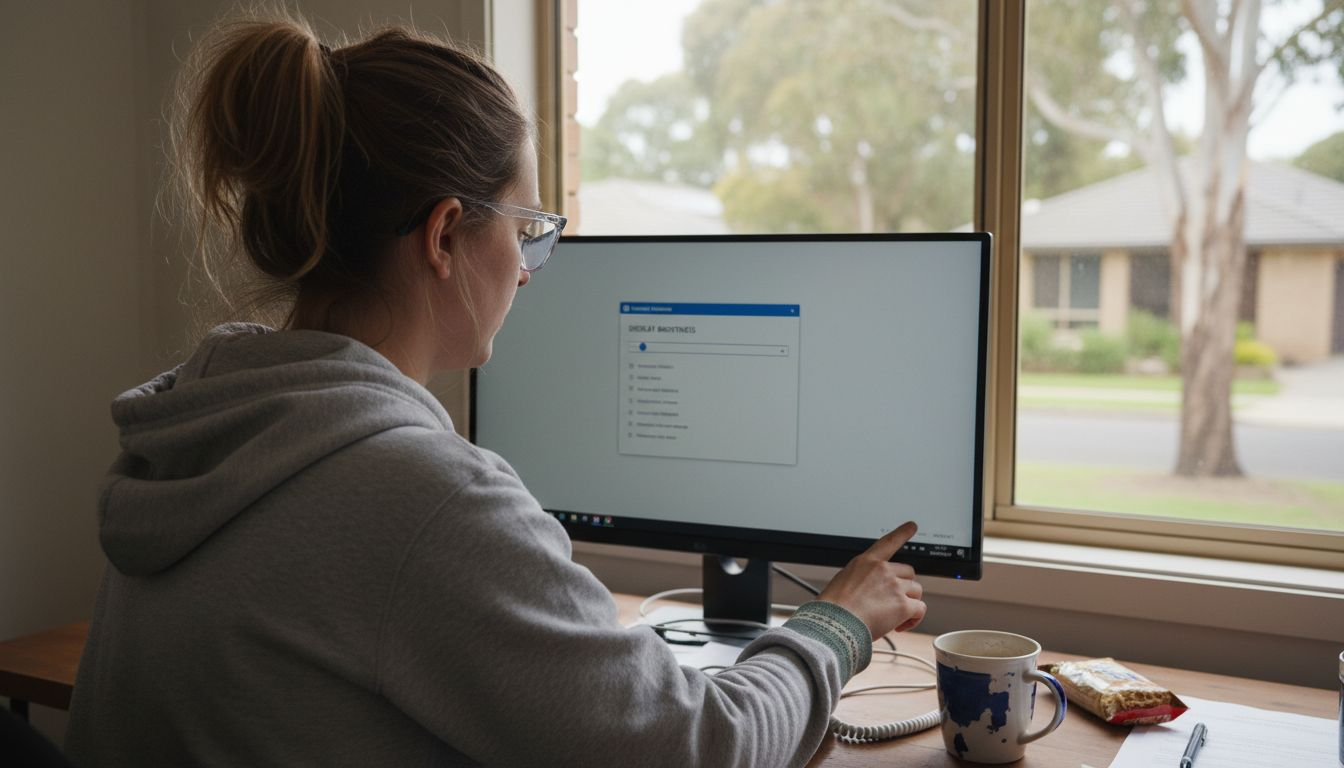
Font size plays a crucial role in visual comfort. Increase your default font size or zoom settings to around 125-150 percent, which allows you to read comfortably without squinting or leaning closer to the screen. Most web browsers and operating systems offer simple zoom functions usually accessible through keyboard shortcuts like Control and Plus sign (+) or by using the accessibility settings. Position your monitor about an arm’s length away and slightly below eye level to reduce neck strain and maintain a comfortable viewing angle.
Pro tip: Create a custom display profile for different times of day, switching between high-contrast daytime settings and warmer, softer evening modes to protect your eyes and maintain natural circadian rhythms.
Use this quick guide to understand key screen and monitor settings that reduce eye strain:
| Setting | Recommended Adjustment | Eye Comfort Impact |
|---|---|---|
| Brightness | Match room lighting, avoid extremes | Reduces glare, prevents fatigue |
| Colour Temperature | Use warm white in evening | Less blue light, better sleep |
| Font Size/Zoom | Set to 125–150% | Easier reading, less squinting |
| Monitor Position | Arm’s length, below eye level | Minimises neck and eye strain |
Step 3: Take regular breaks using the 20-20-20 rule
Reducing eye strain isn’t just about adjusting your screen it’s about giving your eyes strategic moments of rest and recovery. The 20-20-20 rule offers a simple yet powerful technique to prevent visual fatigue and maintain eye health during long hours of screen work.
Here’s how to implement the 20-20-20 rule effectively: Every 20 minutes, pause your work and look at an object approximately 20 feet away for 20 seconds. This practice helps rehydrate your eyes, relax eye muscles, and counteract the common problem of reduced blinking during intense screen focus. Consider using a timer or smartphone app to help you consistently track these breaks. During these brief moments, try to consciously blink several times to restore natural tear production and prevent dry eye symptoms that often develop during prolonged computer use.
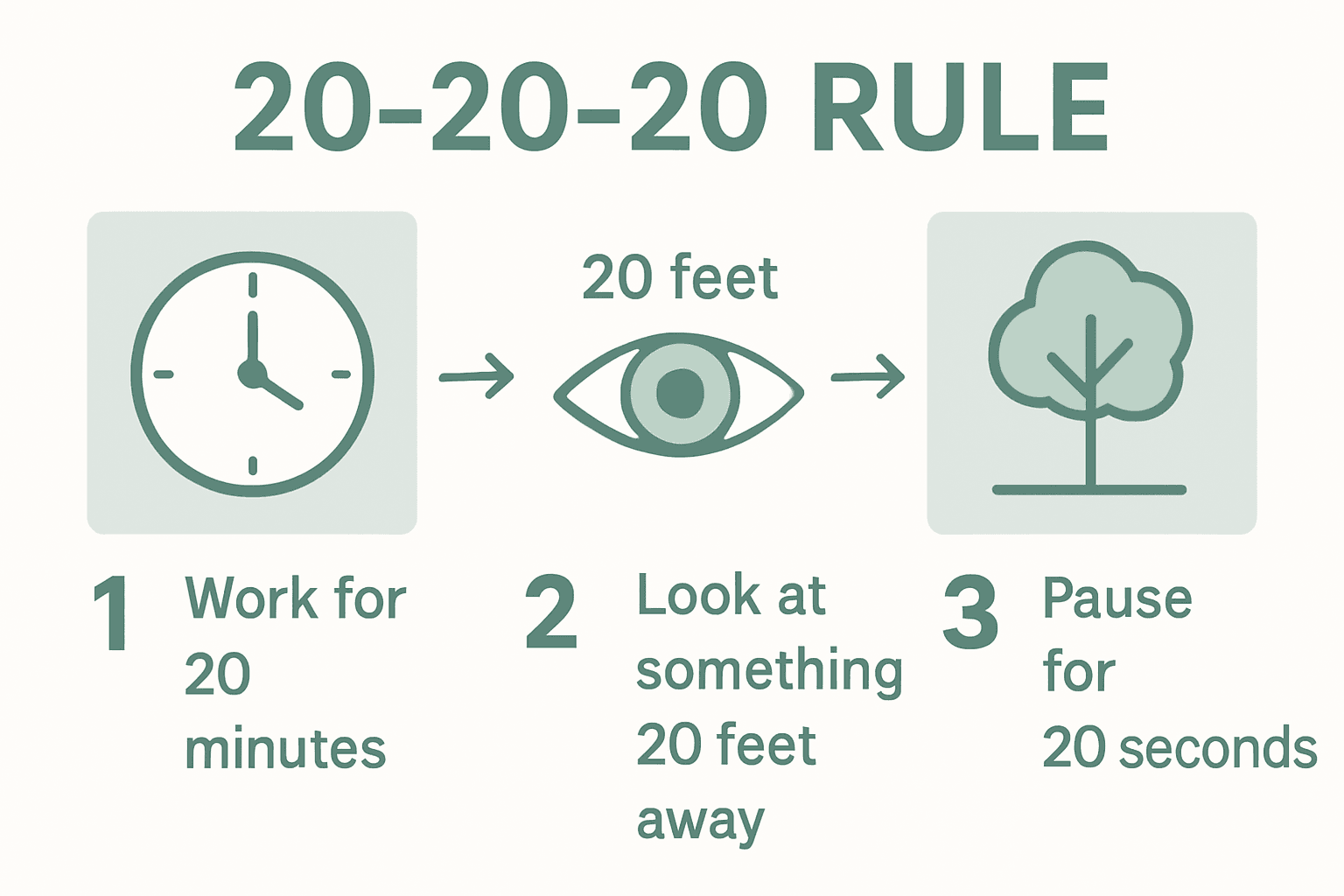
While the 20-20-20 rule might seem simple, it’s a scientifically recommended approach by eye care professionals to mitigate digital eye strain. Combine this technique with gentle eye exercises like rolling your eyes, focusing on distant objects, and gently massaging your eye muscles to enhance overall eye comfort. Remember that these short breaks not only protect your vision but can also boost your overall productivity by preventing mental fatigue and maintaining sharp focus.
Pro tip: Set up a digital reminder or use productivity apps with built-in break tracking features to make implementing the 20-20-20 rule automatic and effortless throughout your workday.
Step 4: Wear suitable eyewear for digital use
Protecting your eyes during long digital work sessions requires more than just good intentions it demands strategic eyewear choices. Understanding the nuanced world of computer glasses can significantly reduce digital eye strain and maintain your visual comfort throughout the day.
When selecting eyewear for digital use, look for glasses specifically designed to address screen-related visual challenges. Computer glasses designed to prevent digital eye strain offer specialised features that standard spectacles cannot provide. These glasses typically include anti reflective coatings, reduced blue light transmission, and precise lens magnification tailored for intermediate screen distances. While blue light blocking glasses remain scientifically controversial, computer glasses engineered for digital environments can offer measurable benefits in reducing eye fatigue and maintaining visual clarity.
If you experience persistent symptoms like eye pain, frequent headaches, visual flashes, or unusual floaters, it’s crucial to consult an eye care professional. Consider using artificial tear drops about four times daily to combat the dry eye syndrome commonly associated with prolonged screen use. Supplement your eyewear strategy with regular breaks, proper screen positioning, and conscious blinking to maintain optimal eye health during extended digital work sessions.
Pro tip: Have your computer glasses professionally fitted and adjusted to ensure they provide the most effective protection and visual comfort for your specific screen usage patterns.
Step 5: Check your eye comfort and make adjustments
Eye comfort isn’t a passive experience it’s an active process of continuous monitoring and strategic adjustments. Understanding how to fine tune your visual environment can dramatically reduce strain and prevent long-term eye fatigue.
Start by evaluating your ergonomic setup with precision. Position your screen 20–28 inches away from your eyes, ensuring the top of the display sits 4–5 inches below eye level. Reading glasses comfort tips can help you maintain optimal visual positioning, allowing you to work comfortably without unnecessary physical stress. Regularly check your posture and screen distance throughout the day, making micro adjustments to prevent muscle tension and maintain a natural viewing angle.
Incorporate targeted eye relaxation exercises into your routine to combat visual fatigue. Practice techniques like palming, where you gently cover your closed eyes with warm palms to create darkness and warmth, or try simple eye yoga movements that help relax eye muscles. Warm compresses can also provide immediate relief, helping to reduce tension and promote blood circulation around your eye area. Pay attention to subtle signs of eye strain such as headaches, blurred vision, or persistent discomfort these are your body’s signals that adjustments are needed.
Pro tip: Create a personalised eye comfort checklist that you review weekly, tracking your screen time, visual symptoms, and the effectiveness of your current eye protection strategies.
Protect Your Eyes with Stylish Solutions from Ministry of Sight
Digital eye strain affects countless Australians facing hours of screen time daily. This article highlights key strategies like suitable eyewear and optimal screen settings to reduce discomfort and maintain eye health. If you are looking for comfortable and effective eyewear tailored for screen use, explore our Minimalist Reading Glasses collection designed to combine clarity with style.

Take action now to prevent eye strain before it impacts your wellbeing. Benefit from free shipping across Australia and enjoy our satisfaction guarantee when you shop at Ministry of Sight. Browse our full range on the home page – Ministry of Sight and find the perfect glasses that suit your digital lifestyle today.
Frequently Asked Questions
How can I reduce eye strain while using my computer?
To reduce eye strain, make sure to implement the 20-20-20 rule: every 20 minutes, look at something 20 feet away for 20 seconds. This simple practice helps rehydrate your eyes and reduce visual fatigue.
What type of lighting is best for my workspace to prevent eye strain?
Natural light is optimal for reducing eye strain, so position your desk near a window. If glare is an issue, use light curtains or adjustable blinds to soften the light, ensuring a comfortable environment for your eyes.
What screen settings should I adjust to minimise eye strain?
Adjust your screen brightness to match the surrounding light; typically, 50% during the day and 30% in darker settings works well. Also, increase your font size or zoom to 125–150%, which will help you read more comfortably without straining.
Are computer glasses effective for preventing digital eye strain?
Yes, computer glasses designed for digital use can significantly reduce eye strain by providing specific features like anti-reflective coatings and reduced blue light transmission. Consider choosing glasses tailored for intermediate screen distances to maximise comfort during extended use.
What are some quick eye relaxation techniques I can use?
Incorporate simple techniques like palming, where you cover your closed eyes with your hands, to create darkness and warmth. Additionally, try eye yoga movements to help relax your eye muscles and alleviate fatigue throughout the day.
How often should I check my eye comfort while working?
Regularly evaluate your eye comfort every couple of hours, making micro-adjustments to your screen distance and posture. Pay attention to any signs of strain, such as headaches or blurred vision, and take breaks as needed to maintain comfort and productivity.
Recommended
- 7 Best Tips for Choosing Reading Glasses for Australia Climate – ministry of sight
- Understanding Reading Glasses for Computer Use Guide – ministry of sight
- Complete Guide to Reading Glasses for Digital Screens – ministry of sight
- 7 Latest Reading Glasses Trends for Over 40s in Australia – ministry of sight


