

Best Reading Glasses for Computer Use in Australia (2026 Guide)
If you spend several hours each day working on a computer, you've probably experienced tired eyes, blurred vision or the urge to remove your glasses halfway through the afternoon.
While many people assume these symptoms are simply part of modern life, they're often a sign that your current reading glasses aren't designed for the distance you're actually viewing your screen.
Unlike reading a book, a computer monitor sits much farther away. Standard reading glasses are typically optimised for close-up tasks at around 35–40 centimetres, whereas most desktop monitors are positioned between 50 and 75 centimetres from your eyes. That difference may seem small, but it can significantly affect visual comfort during long workdays.
Choosing the right computer reading glasses isn't just about selecting the correct lens strength. Lens coatings, frame design, screen position and even your posture all contribute to how comfortable your eyes feel after several hours of screen use.
In this guide, we'll explain everything you need to know about choosing reading glasses for computer work, including:
- Why computer vision differs from reading books
- Whether standard reading glasses are suitable for screens
- The ideal lens strength for computer use
- Anti-glare versus blue light filtering lenses
- The best frame materials for all-day comfort
- How to reduce digital eye strain
- Common mistakes to avoid
- Answers to frequently asked questions
Whether you work in an office, study from home or simply spend hours on your laptop each day, the right pair of reading glasses can make a noticeable difference to your comfort and productivity.
Editorial Policy
This guide has been independently researched and written by the Ministry of Sight editorial team to help Australians choose comfortable, high-quality reading glasses for computer use.
Our recommendations are based on current eye care guidance, publicly available information and practical experience with premium ready-made reading glasses. We do not accept payment in exchange for recommendations or rankings, and our educational content is created independently of product promotions.
Where appropriate, we reference recognised eye health organisations to support key information. This guide is intended for general educational purposes and should not replace advice from a qualified optometrist or ophthalmologist.
Last Reviewed
Published: August 2026
Last Reviewed: August 2026
This article is reviewed regularly to ensure it reflects current research, industry recommendations and developments in computer eyewear.
Review Methodology
Selecting the best reading glasses for computer use involves much more than choosing a fashionable frame.
For this guide, we evaluated the factors that have the greatest impact on long-term visual comfort, including:
- Lens clarity
- Anti-reflective coatings
- Frame materials
- Weight
- Comfort during prolonged wear
- Available magnification strengths
- Build quality
- Overall value
We also reviewed recommendations from recognised eye-health organisations regarding digital eye strain, viewing distance and healthy screen habits.
Why Computer Vision Is Different from Reading
Many people use the same pair of reading glasses for everything.
Books.
Phones.
Laptops.
Desktop monitors.
Unfortunately, our eyes don't work that way.
Different activities require us to focus at different distances.
| Activity | Typical Viewing Distance |
|---|---|
| Smartphone | 30–35 cm |
| Book | 35–40 cm |
| Tablet | 40–50 cm |
| Laptop | 50–60 cm |
| Desktop Monitor | 60–75 cm |
Standard reading glasses are designed primarily for close reading.
When you use those same lenses to look at a computer screen that's sitting much farther away, your eyes may have to work harder to maintain focus.
This often leads to discomfort during longer work sessions.
What Is Digital Eye Strain?
Digital Eye Strain, sometimes called Computer Vision Syndrome, refers to the collection of symptoms many people experience after prolonged screen use.
Common symptoms include:
- Tired eyes
- Dry eyes
- Blurred vision
- Difficulty refocusing
- Headaches
- Neck pain
- Shoulder tension
These symptoms don't necessarily mean your eyesight is getting worse.
More often, they result from a combination of:
- Incorrect viewing distance
- Poor lighting
- Long periods without breaks
- Reduced blinking while concentrating
- Incorrect lens power
Fortunately, many of these problems can be reduced with an appropriate pair of computer reading glasses and good ergonomic habits.
Do You Need Special Computer Reading Glasses?
Not everyone does.
If you only spend 20–30 minutes reading emails each day, your existing reading glasses may be perfectly adequate.
However, if you regularly spend:
- 6–8 hours at a computer
- Entire workdays on multiple monitors
- Long periods editing documents
- Designing graphics
- Programming
- Online meetings
then glasses specifically chosen for your computer viewing distance can significantly improve comfort.
Many office workers are surprised how much less fatigued their eyes feel after switching to lenses designed for intermediate distances.
Signs Your Current Reading Glasses Aren't Right for Computer Work
Many people blame the computer when the real problem is their glasses.
Some common warning signs include:
You Lean Towards the Screen
If you constantly move closer to your monitor, your current lens strength may not suit your working distance.
You Lean Back in Your Chair
Conversely, if you find yourself pushing away from the screen to see comfortably, your reading glasses may be too strong for computer use.
Your Eyes Feel Tired by Mid-Afternoon
Eye fatigue after several hours often indicates your eyes are working harder than necessary to maintain focus.
You Get Headaches After Screen Work
Persistent headaches can result from prolonged visual effort, particularly when the viewing distance doesn't match your reading glasses.
Your Neck or Shoulders Hurt
Many people unknowingly adjust their posture to compensate for poor vision.
Leaning forward or tilting your head to find the "sweet spot" in your lenses can contribute to neck and shoulder discomfort over time.
Why Premium Computer Reading Glasses Make a Difference
If you wear your reading glasses for several hours every day, quality becomes increasingly important.
Premium reading glasses typically provide:
- More accurate optical alignment
- Better lens clarity
- Reduced reflections
- Higher-quality frame materials
- Greater long-term comfort
- Better durability
Rather than constantly replacing inexpensive glasses, many people prefer investing in one or two well-made pairs they enjoy wearing every day.
For professionals who spend much of their working life in front of screens, comfort is an investment in productivity as much as eyesight.
Choosing the Right Lens Strength for Computer Use
The correct lens strength for computer work is not always the same strength you use for books or your phone.
That is because computer screens usually sit farther away than printed material. Standard readers are generally designed for close-up tasks, while computers are viewed at an intermediate distance.
If your regular reading glasses feel too strong at your desk, you may notice that you:
- lean back from the screen
- tilt your head
- remove your glasses for certain tasks
- move closer and farther from the monitor
- experience eye fatigue after long sessions
For computer use, many people are more comfortable with a slightly lower magnification than they use for close reading.
For example, someone who uses +2.00 for books may find +1.50 or +1.75 more comfortable at a desktop monitor.
This is only a general principle, not a prescription. Your ideal strength depends on your eyesight, monitor distance and whether you already wear prescription lenses.
A Simple Computer Strength Guide
If you already know your normal reading strength, this rough guide can help you understand the difference between book and screen distance.
| Regular Reading Strength | Possible Computer Strength |
|---|---|
| +1.00 | +0.50 to +0.75 |
| +1.50 | +1.00 to +1.25 |
| +2.00 | +1.25 to +1.50 |
| +2.50 | +1.50 to +2.00 |
| +3.00 | +2.00 to +2.50 |
Treat this as a starting point only.
The best computer reading glasses are the pair that lets you view your screen clearly while sitting naturally at your desk.
Measure Your Screen Distance First
Before choosing a lens strength, measure the distance between your eyes and your screen.
For most desktop setups, this will be somewhere around:
50–75 cm
Laptop users may sit slightly closer.
Once you know your normal working distance, test your glasses while sitting in your usual position.
You should not need to:
- lean toward the monitor
- push your chair backward
- stretch your neck
- tilt your head
If you do, the lens strength or screen position may not be right.
Are Anti-Glare Lenses Worth It for Computer Work?
For people who spend long hours around screens and artificial lighting, anti-glare coatings can be a very useful feature.
Anti-reflective coatings reduce reflections from the front and back surfaces of the lens.
This can help improve visual comfort in environments with:
- computer monitors
- LED lighting
- overhead office lights
- windows
- multiple screens
Reduced reflections can also make your lenses look clearer during video meetings.
For premium computer readers, anti-glare is one of the features worth prioritising because it directly affects everyday comfort.
Blue Light Glasses: What Actually Matters?
Blue light filtering is one of the most heavily marketed eyewear features.
It is also one of the most misunderstood.
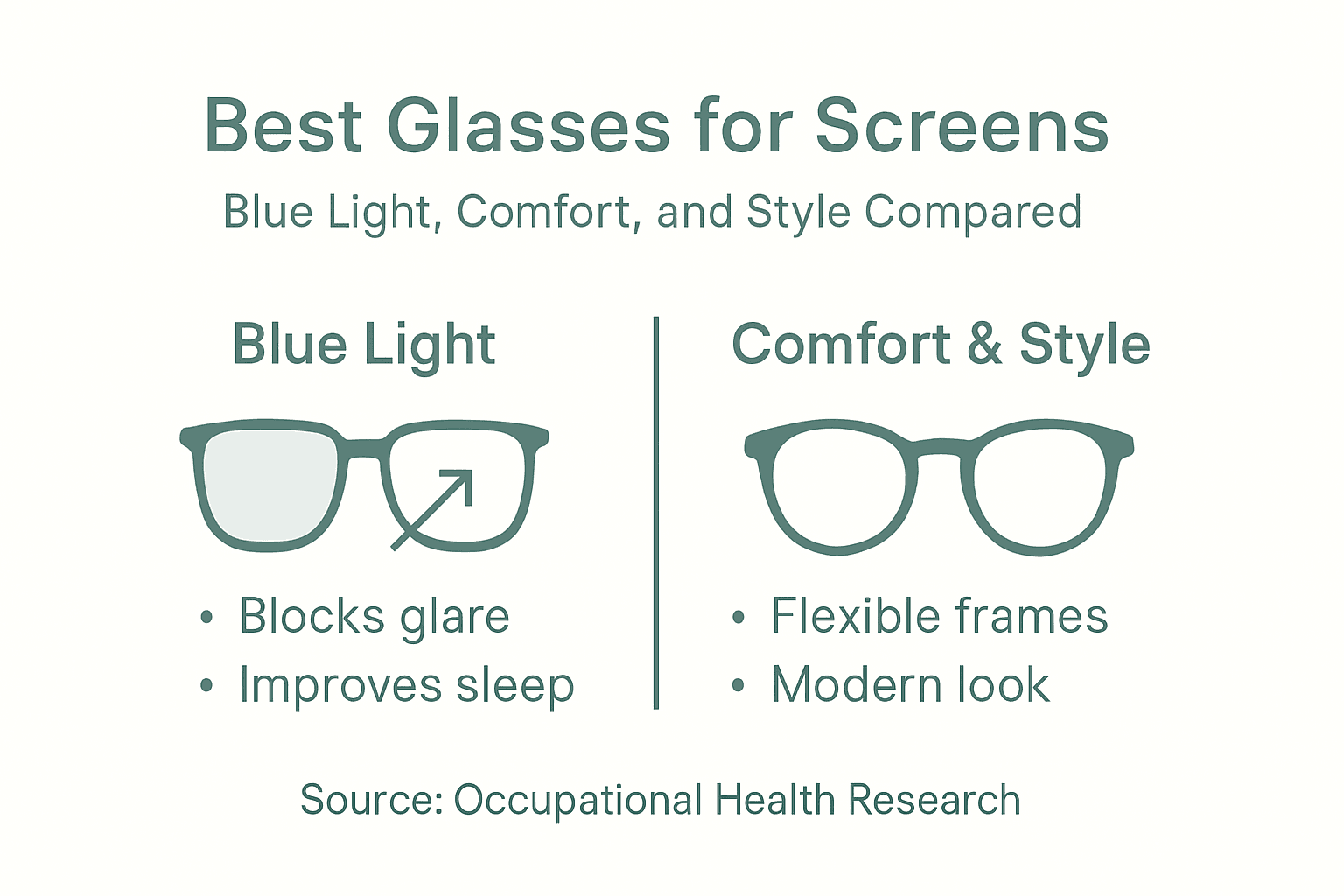
Digital screens emit blue light, but current evidence does not clearly show that blue light from normal screen use is the main cause of digital eye strain.
For most people, discomfort is more strongly linked to:
- prolonged focusing
- reduced blinking
- dry eyes
- poor posture
- incorrect viewing distance
- glare
- unsuitable lens power
That does not mean blue light lenses are useless.
Some people prefer them for comfort, especially during long evening screen sessions, and they may still be a worthwhile option if you like the way they feel.
The important point is this:
Blue light filtering should not replace correct lens strength, good screen ergonomics or regular breaks.
Those fundamentals matter more.
Anti-Glare vs Blue Light: Which Is Better?
They perform different jobs.
Anti-Glare
Designed to reduce reflections and improve lens clarity.
Best for:
- office lighting
- monitors
- video calls
- long workdays
- visually busy environments
Blue Light Filtering
Designed to reduce some blue wavelengths from digital screens and other light sources.
Best for:
- people who prefer filtered lenses
- evening screen use
- users who find them subjectively more comfortable
If choosing only one feature for computer readers, I would prioritise good optical quality and anti-glare treatment before blue light filtering.
Single-Vision Computer Readers
Single-vision computer glasses are designed for one main viewing distance.
For example:
- your laptop
- your desktop monitor
- an office workstation
They can work very well if your job involves looking at a screen for long periods and you don't need to constantly switch between different distances.
Advantages include:
- clear central vision
- simple lens design
- easy adaptation
- excellent value
For many people who already use ready-made readers, a lower-power single-vision pair dedicated to computer use can be a practical solution.
Progressive or Occupational Computer Glasses
If you regularly switch between:
- computer screen
- documents
- meetings
- people across the room
you may need something more flexible than standard readers.
Occupational or progressive lenses can provide different zones for different viewing distances.
These are usually prescription lenses and are best discussed with an optometrist.
They may be especially useful for:
- accountants
- architects
- designers
- managers
- healthcare professionals
- people working across multiple distances
The 20-20-20 Rule
One of the easiest ways to reduce screen-related eye fatigue is to take regular visual breaks.
A commonly recommended habit is the 20-20-20 rule:
Every 20 minutes, look at something about 20 feet away for at least 20 seconds.
The idea is to give your focusing system a break from sustained close and intermediate work.
You do not need to follow it perfectly for it to be useful.
Even brief, regular breaks can help you reset your posture and blinking pattern.
Blink More Often
People naturally blink less when concentrating on screens.
This can contribute to:
- dry eyes
- burning
- irritation
- tiredness
Make a conscious effort to blink fully, especially during long periods of focused work.
If dryness is persistent, an optometrist can help determine whether dry eye or another condition is contributing.
Set Up Your Screen for Better Vision
Computer glasses work best when the rest of your workstation is set up properly.
Aim for:
Screen Distance
Around 50–75 cm from your eyes.
Screen Height
The top of the screen should generally sit around eye level or slightly below it.
Font Size
Increase text size rather than leaning closer to the screen.
Lighting
Avoid strong reflections from windows or overhead lights.
Contrast
Use a comfortable brightness level that is similar to the surrounding room.
Chair Position
Your feet should rest comfortably and your shoulders should remain relaxed.
If you need to change posture to see clearly, the problem may be the screen setup, the glasses, or both.
When Computer Readers May Not Be Enough
Ready-made computer reading glasses are useful for many people, but they are not appropriate in every situation.
See an optometrist if:
- one eye requires a different strength
- you have astigmatism
- you already wear prescription glasses
- you experience persistent headaches
- your vision fluctuates
- you see double
- one eye is noticeably blurrier
- symptoms remain despite changing lenses
Custom lenses may provide better results if your visual needs are more complex.
Expert Tip
If your normal reading glasses feel too strong at your monitor, do not immediately buy a dramatically weaker pair.
Try reducing the strength gradually.
For example:
Book readers: +2.00
↓
Try computer readers around:
+1.50
Then assess comfort at your normal workstation.
The goal is not maximum magnification.
The goal is clear vision at your actual screen distance while maintaining natural posture.
How to Choose Premium Reading Glasses for Computer Use
When reading glasses become part of your working day, choosing the right pair is about more than magnification.
Someone who puts on readers for five minutes to check a menu has very different requirements from someone wearing computer glasses for six or eight hours a day.
For prolonged screen use, the details matter: frame weight, material, fit, lens clarity, reflections and even the position of the temples behind your ears can influence how comfortable your glasses feel by the end of the day.
This is also where investing in a well-made pair can make sense. Rather than treating computer readers as a disposable accessory, think of them as something you use alongside your laptop, keyboard and office chair - an everyday tool that should be comfortable, reliable and enjoyable to wear.
1. Start With Lens Quality
It's easy to choose computer glasses based on the frame first.
But if you're wearing them for hours at a time, the lenses deserve just as much attention.
Look for lenses that provide:
- Clear, consistent vision
- Accurate magnification
- Good optical quality
- Scratch resistance
- Minimal distracting reflections
- An appropriate strength for your screen distance
A beautiful frame can't compensate for lenses that don't suit the way you work.
As discussed in Part 2, more magnification isn't necessarily better. For computer work, the correct strength is the one that allows you to see your screen clearly at your normal working distance without changing your posture.
2. Look for Anti-Glare Lenses
For computer use, an anti-glare or anti-reflective treatment is one of the lens features worth considering.
Modern workplaces contain reflections everywhere—from monitors and windows to overhead lighting and desk lamps.
An anti-reflective treatment is designed to reduce reflections from the lens surfaces, helping the lenses appear clearer.
It can also be particularly appealing if your working day includes frequent:
- Zoom calls
- Microsoft Teams meetings
- Video presentations
- Online consultations
- FaceTime calls
Reducing visible reflections on your lenses can make your eyes more visible on camera, which is a small detail that can make premium computer glasses feel more polished in a professional environment.
3. Choose a Frame You Can Comfortably Wear for Hours
A pair of glasses can look fantastic for five minutes and become frustrating after five hours.
For computer glasses, comfort should be treated as a core feature.
Pay attention to:
Frame Weight
A well-balanced frame shouldn't feel excessively heavy on the bridge of your nose.
Temple Fit
The arms should sit securely without pressing uncomfortably behind your ears.
Bridge Fit
The frame should remain in position without constantly sliding down your nose.
Frame Width
A frame that's too narrow can create pressure around the temples. A frame that's too wide may continually slip.
Stability
Your glasses shouldn't move every time you look down at your keyboard and back towards your monitor.
The best computer glasses are often the pair you eventually stop noticing you're wearing.
4. Why Acetate Works Well for Premium Computer Readers
Frame material becomes increasingly important when glasses are worn every day.
One material you'll frequently see in higher-quality eyewear is acetate.
Acetate allows eyewear designers to create frames with rich colours, patterns and finishes while providing a more substantial feel than many basic injection-moulded plastic frames.
Well-made acetate frames can offer an attractive combination of:
- Durability
- Comfort
- Colour depth
- Premium finish
- Distinctive styling
For computer readers, this is particularly appealing because your glasses may be on your face for a significant portion of the working day.
They aren't simply a tool for seeing the screen. They're also part of what you wear.
5. Don't Assume Thicker Means Better
Premium doesn't necessarily mean heavy.
A substantial acetate frame can make a strong style statement, but the frame still needs to be appropriately balanced.
If you regularly work eight-hour days at a computer, consider how the frame feels around:
- Your nose
- Your temples
- Behind your ears
Bold frames can work beautifully as computer glasses, provided the fit is right.
Likewise, a lightweight frame isn't automatically more comfortable if it's too narrow or continually slips.
Fit and balance matter more than weight alone.
6. Choose a Style You'll Actually Want to Wear
Computer glasses don't have to look clinical.
For many people, they're the glasses colleagues see them wearing most often.
That makes computer readers an opportunity to choose a frame that complements your personal style.
Round Computer Glasses
Round frames can create a softer, creative look and work particularly well for people who prefer vintage-inspired eyewear.
Square Computer Glasses
Square frames provide a stronger, more structured appearance and can work particularly well in professional settings.
Rectangular Computer Glasses
Rectangular frames offer a classic, understated look and are easy to pair with most wardrobes.
Geometric Computer Glasses
Geometric frames offer something more distinctive for people who want their eyewear to become part of their personal style.
There is no single "best" shape for computer glasses.
The best frame is one that fits properly, feels comfortable and suits how you want to look.
Computer Glasses for Different Types of Work
Not everyone uses a computer in the same way.
The right eyewear setup depends partly on what your working day actually looks like.
Computer Glasses for Office Workers
If your day involves email, spreadsheets, documents and video meetings, you'll probably spend much of your time at a relatively consistent screen distance.
A dedicated pair of computer readers can be particularly practical in this environment.
Prioritise:
- Comfortable intermediate vision
- Anti-glare lenses
- All-day frame comfort
- Professional styling
- Durable construction
Keeping a dedicated pair at your desk also means you don't have to continually search for your regular readers.
Computer Glasses for Working From Home
Working from home often involves less predictable viewing distances.
You might move between:
- A laptop
- A second monitor
- Your phone
- Printed documents
- Video meetings
Start by looking at where you spend the majority of your working time.
If 80% of your day is spent looking at a monitor 60 centimetres away, optimise your glasses and workstation around that distance rather than trying to make one pair perfect for every possible task.
Computer Glasses for Designers and Creatives
Graphic designers, photographers, architects and other creative professionals may spend hours concentrating on fine details.
Lens clarity and comfort become particularly important.
If colour accuracy is critical to your work, also consider whether any lens tint or filtering treatment changes your perception of colour.
A clear anti-reflective lens may be preferable for colour-critical work.
Computer Glasses for Programmers
Programming can involve extremely long periods of concentrated screen use.
Developers may move between:
- Code editors
- Documentation
- Multiple monitors
- Laptops
- Mobile devices
A stable working distance and appropriate lens strength can make a major difference to comfort.
Rather than leaning toward the screen to read smaller code, increase the font size where practical and maintain a comfortable working position.
Computer Glasses for Online Meetings
If much of your day is spent on video calls, consider both comfort and appearance.
Anti-reflective lenses can reduce distracting reflections, while a frame you genuinely like wearing can become part of your professional appearance.
This is one area where investing in a distinctive, well-made frame can make sense—you may wear it more often than almost any other accessory you own.
Computer Glasses for Multiple Monitors
Multiple-monitor setups introduce another consideration: distance.
If one monitor is directly in front of you and another is significantly farther away, the same lens may not provide equally comfortable vision on both.
Where possible:
- Keep monitors at similar distances.
- Position your primary monitor directly ahead.
- Avoid repeatedly turning your neck excessively.
- Increase text size on secondary screens when necessary.
- Keep commonly used windows on your primary display.
If your work requires frequent changes between substantially different distances, ask an optometrist whether occupational lenses would be more appropriate.
What About Computer Glasses for Gaming?
The principles are broadly similar.
Long gaming sessions can involve prolonged concentration at a fixed screen distance.
Rather than focusing only on whether glasses are marketed as "gaming glasses", consider the fundamentals:
- Is the lens strength appropriate?
- Are reflections distracting?
- Is the frame comfortable?
- Is your screen positioned correctly?
- Are you taking regular breaks?
A specialised marketing label doesn't automatically make a pair of glasses better suited to screen use.
Common Mistakes When Buying Computer Reading Glasses
Avoiding a few common mistakes can make choosing your next pair much easier.
Mistake 1: Using Your Book Strength Automatically
Your book is generally closer than your monitor.
The strength you use for close reading may therefore feel too strong at your computer.
Better approach: choose according to your actual screen distance.
Mistake 2: Buying Blue Light Glasses and Ignoring Magnification
Blue light filtering doesn't correct presbyopia.
If you need magnification, choosing non-magnifying blue light glasses won't solve a focusing problem.
Likewise, blue light filtering cannot compensate for an inappropriate reading strength.
Get the optical fundamentals right first.
Mistake 3: Choosing the Strongest Magnification
More isn't better.
Overpowered readers can force you into an unnecessarily close working distance.
Choose the lowest effective strength that gives you comfortable screen vision.
Mistake 4: Ignoring Frame Measurements
A frame can look perfect in a photograph but fit completely differently on your face.
Before ordering online, check measurements such as:
- Lens width
- Bridge width
- Temple length
- Overall frame width, where available
An easy trick is to compare these dimensions with a pair you already own and know fits comfortably.
Mistake 5: Buying Solely on Price
There is nothing wrong with inexpensive reading glasses, particularly as spare pairs.
But if you're wearing computer readers for most of the working week, buying solely on price can be a false economy.
Consider:
- Materials
- Lens quality
- Construction
- Comfort
- Returns
- Warranty
- How often you'll wear them
Cost per wear is often more useful than purchase price alone.
A well-made pair worn hundreds of times can represent better value than several cheaper pairs that are uncomfortable or frequently replaced.
Mistake 6: Expecting Glasses to Fix Your Entire Workstation
Even excellent computer glasses can't compensate for poor ergonomics.
If your monitor is too far away, the text is tiny, bright sunlight is reflecting directly from the screen and you haven't looked away for four hours, changing glasses alone is unlikely to solve every symptom.
Think of computer comfort as a system:
Correct lens strength + good lenses + comfortable frame + sensible workstation + regular breaks.
Premium vs Cheap Computer Reading Glasses
Does paying more automatically mean better glasses?
No.
Price alone isn't a guarantee of quality.
However, there are legitimate reasons why better-made eyewear can cost more.
| Feature | Basic Readers | Premium Readers |
|---|---|---|
| Frame material | Often basic moulded plastic | May use higher-quality acetate or other premium materials |
| Lens treatment | Often basic | Anti-reflective and other coatings may be available |
| Construction | Basic | Greater attention to finishing and components |
| Styling | Functional | More considered frame design |
| Fit options | May be limited | Often more frame shapes and dimensions |
| Intended use | Occasional/spare | Better suited to frequent everyday wear |
The important distinction isn't simply cheap versus expensive.
It's disposable versus considered.
If you wear computer readers for several hours every day, investing in materials, fit and lens quality can make more sense than choosing solely on the lowest possible price.
How Many Pairs of Computer Glasses Do You Need?
For many people, one dedicated pair is enough.
Keep them at your primary workstation so they're always available when you sit down to work.
However, if you regularly divide your time between home and an office, having two pairs can be surprisingly convenient:
One at home.
One at work.
You may also want a separate pair of stronger readers for books and close work.
For example:
Computer: lower/intermediate strength
Reading: normal close-reading strength
This is often more comfortable than trying to force one pair to perform perfectly at every distance.
A Premium Computer Glasses Checklist
Before buying, ask yourself:
Lens
- Is the strength appropriate for my monitor distance?
- Are the lenses optically clear?
- Is anti-glare treatment included?
- Do I actually want blue light filtering?
Frame
- Is the frame comfortable enough for prolonged wear?
- Is the width appropriate for my face?
- Are the temples the right length?
- Do I prefer acetate or another material?
- Is this a style I'll enjoy wearing every day?
Retailer
- Are frame measurements clearly provided?
- Can I easily exchange the glasses if the strength isn't right?
- Is the lens specification clear?
- Is shipping straightforward?
- Is there accessible customer support?
The goal isn't simply to find computer glasses.
It's to find a pair that becomes an effortless part of your working day.
When Premium Computer Readers Are Worth the Investment
If you only use reading glasses occasionally, you may not need to spend much.
But premium computer readers become much easier to justify when you wear them for:
5 days a week × 8 hours a day.
At that point, comfort, durability and style become considerably more important.
Think about how much attention you give to choosing:
- Your office chair
- Your monitor
- Your keyboard
- Your laptop
If reading glasses are what allow you to see that equipment clearly for thousands of hours, they deserve similar consideration.
The best computer reading glasses should feel less like a temporary vision aid and more like a well-designed everyday accessory.
Frequently Asked Questions About Computer Reading Glasses
Are computer glasses the same as reading glasses?
Not exactly.
Standard reading glasses are usually designed for close-up tasks such as books, menus and smartphones. Computer screens generally sit farther away, so many people find a slightly lower magnification more comfortable for desktop or laptop work.
The best option depends on your normal working distance and whether you already wear prescription lenses.
What strength reading glasses should I use for a computer?
There is no single correct strength for everyone.
Your ideal computer strength depends on:
- Your normal reading strength
- Your monitor distance
- Your age
- Your existing vision
As a general guide, computer readers are often slightly weaker than your close-reading glasses because the screen is farther away than a book.
For example, someone who uses +2.00 for books may prefer around +1.50 for a desktop monitor.
Treat this as a starting point rather than a prescription.
Can I use my normal reading glasses at the computer?
Yes, if they feel comfortable.
Some people use the same pair successfully for books and screens.
However, if you notice yourself:
- leaning backwards
- moving your monitor
- taking your glasses on and off
- getting headaches
- struggling to maintain focus
your regular readers may be too strong for your computer distance.
Are computer glasses worth it?
They can be, particularly if you spend several hours each day working at a screen.
A dedicated pair can help you optimise:
- Magnification for your workstation
- Lens clarity
- Frame comfort
- Anti-reflective performance
For someone working eight hours a day at a computer, a comfortable pair of glasses can become one of the most-used accessories they own.
Do blue light glasses reduce digital eye strain?
The evidence is more nuanced than many advertisements suggest.
Digital eye strain is commonly associated with factors such as prolonged near work, reduced blinking, glare, dry eyes, posture and inappropriate vision correction.
Current evidence does not clearly show that blue-light filtering alone prevents digital eye strain.
Some people still prefer blue-light filtering lenses, particularly for evening screen use, but they should not replace:
- Correct lens power
- Regular breaks
- Comfortable viewing distance
- Appropriate lighting
- Good workstation ergonomics
Are anti-glare lenses good for computer work?
Anti-glare or anti-reflective lenses can be useful for computer users because they reduce reflections from lens surfaces.
This can make viewing more comfortable in environments with:
- Monitors
- Windows
- LED lighting
- Overhead office lighting
They can also reduce distracting reflections during video calls.
Can computer glasses help headaches?
They may help if the headaches are associated with visual strain caused by inappropriate magnification or working distance.
However, headaches can have many causes.
If headaches are frequent, severe or continue despite adjusting your glasses and workstation, speak with an optometrist or healthcare professional rather than assuming glasses are the cause.
Can computer glasses help with dry eyes?
Glasses themselves do not treat dry eye.
Screen users often blink less frequently while concentrating, which can contribute to dryness and irritation.
Helpful habits include:
- Taking regular breaks
- Blinking fully
- Adjusting screen position
- Avoiding direct airflow from fans or air conditioning
Persistent dry-eye symptoms should be discussed with an eye-care professional.
Can I wear computer glasses all day?
Computer glasses are designed primarily for intermediate viewing distances.
They may be comfortable while working at your desk, but they are generally not intended for activities such as:
- Driving
- Walking around outdoors
- Distance viewing
If you need clear vision across several distances throughout the day, prescription occupational or progressive lenses may be more appropriate.
Are computer glasses good for laptops?
Yes.
The key is matching the glasses to your actual laptop distance.
Laptop screens are often positioned closer than desktop monitors, so someone using a laptop may require a slightly different strength from someone working at a large monitor farther away.
What about multiple monitors?
Try to position your main monitors at similar distances.
If one screen is substantially farther away than another, it may be difficult for a single pair of ready-made readers to provide equally comfortable vision across both.
If your work involves multiple distances throughout the day, an optometrist can discuss occupational lens options with you.
Do gamers need computer glasses?
Not necessarily.
Gaming glasses are often marketed with blue-light filtering and specialised coatings, but the same basic principles apply:
- Correct viewing distance
- Comfortable lens strength
- Reduced glare
- Good frame fit
- Regular breaks
A "gaming" label does not automatically make eyewear better suited to prolonged screen use.
What are occupational computer glasses?
Occupational lenses are prescription glasses designed specifically for work environments.
They can provide different areas of vision for:
- Close reading
- Computer screens
- Intermediate distances
They can be particularly useful for people who need to move frequently between documents, monitors and colleagues across a room.
Should computer reading glasses have blue light filtering?
Blue light filtering is optional.
If you enjoy the appearance or feel of filtered lenses, they may be worth considering.
But I would prioritise these features first:
- Correct strength
- Appropriate working distance
- Clear lenses
- Anti-reflective treatment
- Comfortable frame fit
Then consider blue-light filtering as an additional preference.
What frame shape is best for computer glasses?
There is no single best shape.
Popular choices include:
- Round
- Square
- Rectangular
- Geometric
Choose a frame that:
- Fits your face comfortably
- Stays secure while looking between keyboard and monitor
- Gives you a useful field of view
- Suits your personal style
For long working days, comfort should come before trend alone.
Are acetate frames good for computer glasses?
Acetate can be an excellent choice for people wanting premium everyday computer readers.
It is valued for:
- Durability
- Rich colour
- Polished finishes
- Comfortable fit
- Distinctive styling
The quality of construction and fit still matters, so acetate alone is not a guarantee that a frame will suit you.
Quick Answer: What Should You Look for in Computer Reading Glasses?
If you want a simple checklist, prioritise:
| Feature | Why It Matters |
|---|---|
| Correct lens strength | Keeps your screen clear at your normal distance |
| Anti-glare treatment | Reduces distracting reflections |
| Comfortable frame | Important for prolonged wear |
| Accurate sizing | Helps prevent slipping or pressure |
| Quality materials | Supports durability and everyday comfort |
| Easy exchanges | Useful if the strength or fit isn't quite right |
Blue-light filtering can be an optional extra rather than the first feature you choose.
How to Build a More Comfortable Screen Setup
The right glasses work best alongside good screen habits.
Try to:
- Keep your monitor around 50–75 cm away, depending on your setup.
- Position your main screen directly in front of you.
- Increase font size instead of leaning closer.
- Reduce reflections from windows and overhead lights.
- Keep screen brightness comfortable relative to the room.
- Take regular breaks from sustained screen work.
- Blink fully and frequently.
- Keep your neck and shoulders relaxed.
If you continually have to change your posture to see clearly, reassess both your screen setup and your glasses.
When to Book an Eye Examination
Ready-made computer readers can work well for many people, but they are not a replacement for professional eye care.
Book an eye examination if:
- One eye sees noticeably differently from the other.
- You have astigmatism.
- You experience persistent headaches.
- Your vision changes suddenly.
- You have double vision.
- Blurriness remains despite trying different strengths.
- You already wear prescription glasses.
- You need clear vision across several working distances.
An optometrist can determine whether ready-made readers, prescription computer glasses or occupational lenses are the most appropriate option.
Key Takeaways
Choosing the best reading glasses for computer use is less about chasing the latest lens technology and more about getting the fundamentals right.
Remember:
- Computer screens are usually farther away than books.
- Your computer strength may therefore be lower than your reading strength.
- Anti-glare coatings can improve visual comfort around reflections.
- Blue-light filtering is optional and should not be treated as a cure for digital eye strain.
- Frame comfort matters when glasses are worn for hours.
- A well-positioned workstation is just as important as the glasses themselves.
- Persistent visual symptoms should be assessed professionally.
The goal is simple:
clear screen vision, natural posture and comfortable eyes throughout your working day.
Continue Reading
- Best Reading Glasses Australia
- How to Choose the Right Reading Glasses Strength
- Blue Light Reading Glasses Australia
- Acetate vs Plastic Reading Glasses
- Reading Glasses Trends in Australia
- Best Reading Glasses for Men
- Best Reading Glasses for Women Over 50
- How to Store Reading Glasses Properly
- Reading Glasses Size Guide
Choosing Premium Computer Readers
If computer glasses are something you wear for most of the working week, it makes sense to choose a pair you genuinely enjoy using.
At Ministry of Sight, the focus is on reading glasses that combine everyday function with considered design.
Look for features such as:
- Premium acetate frames
- Anti-glare lenses
- Multiple magnification strengths
- Comfortable everyday fit
- Contemporary styling
- Easy exchanges and returns
- Australia-wide delivery
A dedicated pair of computer readers can sit permanently at your desk, while a stronger pair can remain available for books and closer reading.
Rather than asking, "What's the cheapest pair I can buy?", a better question for frequent users is:
"Which pair will I still want to wear after six hours at my computer?"
That is where materials, comfort and lens quality start to matter.
Editorial Note
This guide has been independently researched and written by the Ministry of Sight editorial team.
It is intended to provide general educational information about computer reading glasses and screen comfort. It does not replace personalised advice, diagnosis or treatment from an optometrist, ophthalmologist or other qualified health professional.
Recommendations are based on publicly available eye-health guidance, optical principles and editorial assessment at the time of publication.
Sources and References
American Optometric Association (AOA)
Computer Vision Syndrome (Digital Eye Strain)
Information on digital eye strain, common symptoms, computer use, viewing habits and the 20-20-20 rule.
https://www.aoa.org/healthy-eyes/eye-and-vision-conditions/computer-vision-syndrome
Cochrane
Blue-light filtering spectacle lenses for visual performance, sleep and eye health
A systematic review examining the evidence for blue-light-filtering spectacle lenses, including their effect on computer-related eye strain.
https://www.cochrane.org/evidence/CD013244_blue-light-filtering-spectacle-lenses-visual-performance-macular-back-part-eye-protection-and
National Eye Institute (NEI)
Presbyopia
Information about age-related changes in near vision, symptoms of presbyopia and the use of reading glasses.
https://www.nei.nih.gov/eye-health-information/eye-conditions-and-diseases/presbyopia
National Eye Institute (NEI)
Eyeglasses for Refractive Errors
Information about corrective lenses, including single-vision and multifocal glasses, and the importance of regular eye examinations.
https://www.nei.nih.gov/eye-health-information/eye-conditions-and-diseases/refractive-errors/eyeglasses-refractive-errors
Optometry Australia
Digital Eye Strain
Australian professional information and education relating to digital eye strain and evidence-based eye care.
https://www.optometry.org.au/institute-of-excellence/cpd-events/digital-eye-strain/
Medical Disclaimer
The information in this guide is general in nature and is not intended to replace personalised advice from an optometrist, ophthalmologist or other qualified healthcare professional. Reading-glasses requirements vary between individuals. If you experience persistent headaches, eye pain, double vision, sudden changes in vision or ongoing difficulty focusing, arrange a comprehensive eye examination.

Find Computer Readers You'll Actually Want to Wear
Spend your working day in frames designed to feel as good as they look.
Explore Ministry of Sight's premium reading glasses in a range of strengths, shapes and finishes, and find a pair that suits your screen distance, personal style and everyday routine.


